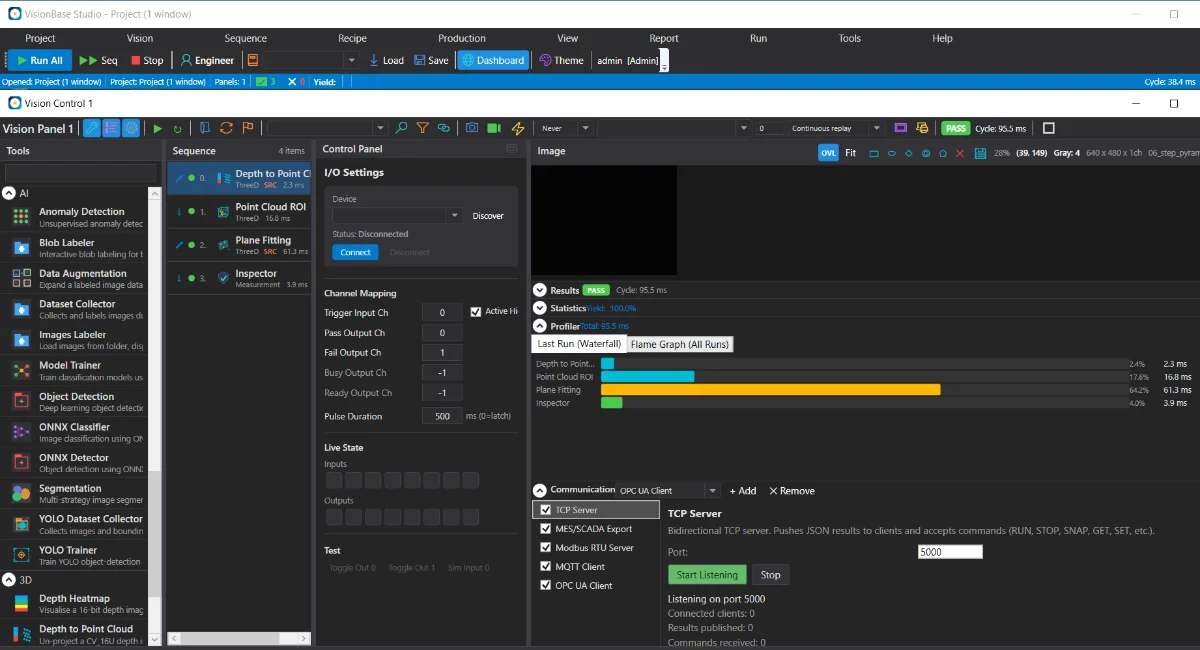
Inspections are built by arranging components into a sequence — threshold, blob, barcode, OCR, measurement, AI — with ROIs set on the live image and calibration to real-world units. The application connects to common factory protocols, and a configuration can be saved as a recipe and reused across stations.
Add tools to an inspection, set ROIs on the live image, adjust parameters with a preview, and define pass/fail conditions in the application.
Line, checkerboard, and multi-point calibration provide measurements in millimetres. Fixtures align the inspection to a part that shifts or rotates between cycles.
One project can drive several inspection windows. Parameter variants are stored as recipes that can be switched by command, so a configuration can be reused across stations and sites.
Distributed as a Windows installer or a Linux .deb / Raspberry Pi package. Signed per-component licensing supports commercial packaging and field activation.
Hardware and protocol support is included, so integration is largely configuration rather than custom drivers.
Hardware and software triggering, exposure/gain/ROI control, on-camera user sets, and white balance.
Trigger on an input edge, write pass/fail/busy/ready outputs, and load sequences or recipes by command.
Develop offline against the simulator, calibrate on the cell, validate with logged frames, and then hand a restricted station to the operator. The three-layer project model keeps line setup, inspection logic, and parameters separate.
Communication plugins accept LOAD_SEQUENCE and LOAD_RECIPE commands and return a compatibility result, so a line controller can change the active inspection for the next product without operator intervention.
A project references the panel's sequence; recipes are parameter variants scoped to a sequence. Pre-existing projects load and migrate automatically, which simplifies updates across an installed base.
Provide the part, the cameras, and the PLC, and we can prepare a configured, line-connected inspection for commissioning.