VisionBase Studio is a desktop application for building, deploying, and running automated visual inspection. Drag together 40+ classical and deep-learning tools into one pipeline, connect to industrial cameras, PLCs, and line equipment — and let a built-in AI copilot help design and tune it.
Acquisition, processing, decision, communication, and reporting are handled within a single tool, without separate scripts or an external machine-learning service.
Preprocessing, detection, measurement, alignment, scripting, AI, and 3D — each a self-contained plugin with its own tuning UI, demo kit, and documented guide.
Drag-drop sequencing, per-component ROIs, fixtures for position-invariant checks, breakpoints with step/retry, undo/redo, and instant re-run while tuning.
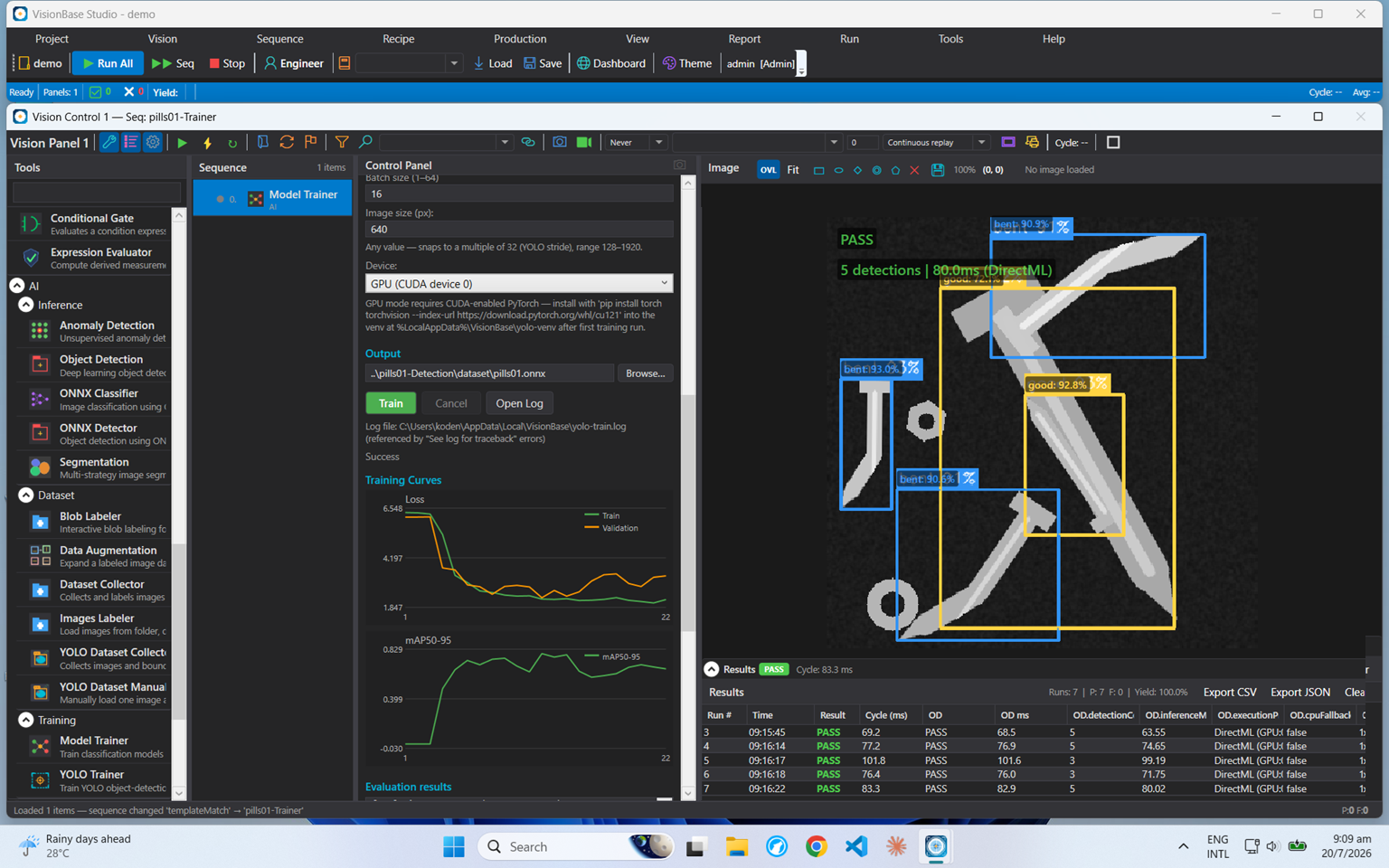
Label, train, and deploy classification, detection (YOLO), segmentation, and anomaly models entirely in-app. ONNX runtime with DirectML GPU acceleration — plus an AI copilot that builds, tunes, and explains inspections.
Basler, The Imaging Source, IDS, Do3Think, Inovance, generic GenICam/GigE Vision, DirectShow and IP cameras — hardware/software trigger, live tuning, per-project persistence.
OPC UA, MQTT, Modbus TCP/RTU, TCP, SQL Server/PostgreSQL/SQLite, MES/SCADA and digital I/O — results pushed per cycle; sequences and recipes switchable from the line.
SPC with Cp/Cpk and X̄/R charts, operator/engineer/admin roles with audit trail, batch and serial traceability, PDF report scheduling, image logging, and a remote web dashboard.
A single application supports the people who develop, deploy, monitor, and operate an inspection.
Add custom vision components in C#/.NET with access to OpenCV and ONNX. Components are packaged as plugins and loaded at runtime.
For developers → IntegratorSet up cameras, inspection logic, and PLC communication without writing software. Reuse a proven configuration as a recipe across stations.
For integrators → ProductionSPC, Cp/Cpk, yield trends, and traceability provide quality and throughput data per station, with scheduled reports and a live dashboard.
For production → OperatorOperator mode shows the live image, pass/fail result, and run controls. Engineering settings are restricted behind a login.
For operators →Each component processes the image and passes its result to the next. A typical sequence acquires a frame, conditions it, locates features, takes measurements, and produces a pass/fail decision. The result is then signalled to the PLC, logged, and added to the statistics. Breakpoints, live tuning, and a built-in simulator support development and validation.
Every station ships with an AI copilot that answers from the product's own component guides, designs inspection sequences on request, and runs disciplined tuning experiments on the live station. Bring your own model — Claude API, any OpenAI-compatible endpoint, or a fully offline local model via Ollama.
Claude API, OpenAI-compatible endpoints, or fully offline local models via Ollama — switchable in settings, API keys encrypted at rest. External AI agents get the same powers through a built-in MCP server.
The model only ever proposes — the station validates, caps, and executes deterministically. Engineer-role gating, single-entry undo, full audit trail, and parameters restored after every experiment.
Guide retrieval runs locally; experiments send only numeric summary tables; the panel image leaves the machine only on an explicit per-message attach — never automatically.
“Sweep minBlobCount over 2 to 6, snapping 4 frames from the camera.”
Send sample images or a description of the inspection, and we can prepare a working configuration using classical tools, AI, or both.